01
Nests
Every chat lives in one nest
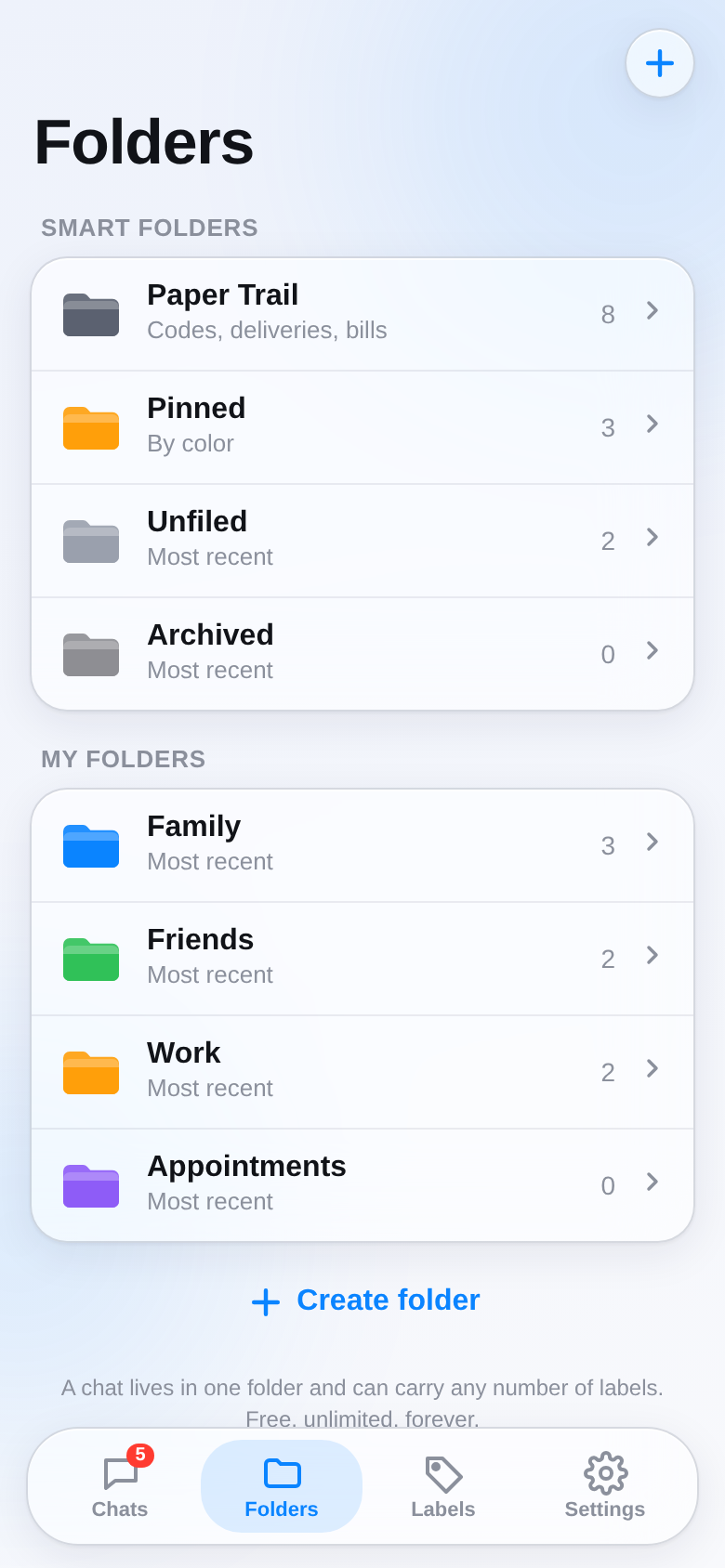
A nest is a folder: Family, Friends, Work, Appointments. Make as many as you like, free.
Example: Mom → Family
NestedChats · for iPhone
An ad-free iPhone app that gathers every chat into one place.
The problem
Mom's message sits under a delivery alert. A bank code buries a friend's question. And nothing tells you who's still waiting on you.
The idea, turn by turn
01
Nests
A nest is a folder: Family, Friends, Work, Appointments. Make as many as you like, free.
Example: Mom → Family
02
Labels and colors
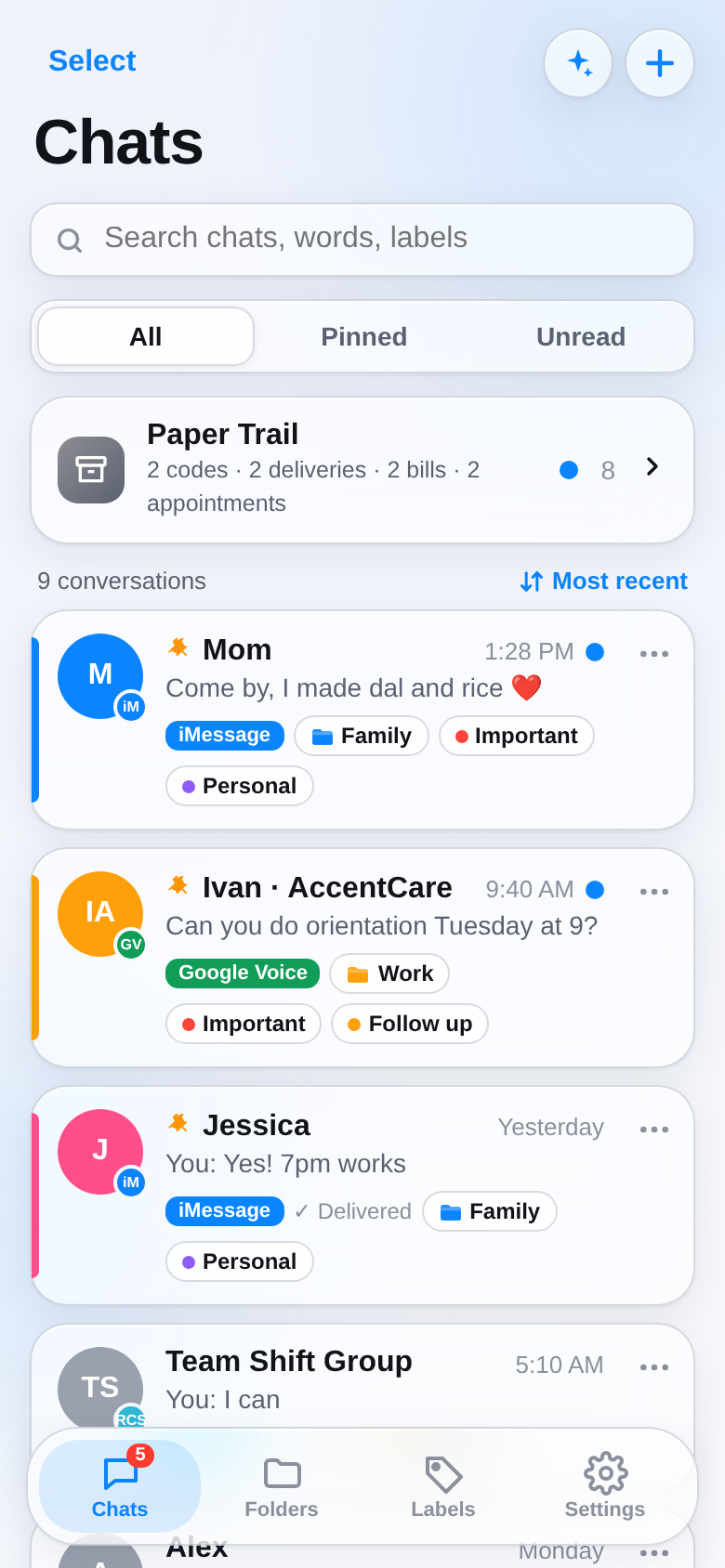
A chat can carry any number of colored labels. Nests say where a chat lives; labels say what it's about.
Example: Important, Follow up, Personal
03
Pinned and your own sort
Pinned is a smart nest that's always on top, and every nest keeps its own sort order.
Example: Work by most recent, Friends A–Z, Family by hand
04
Paper Trail
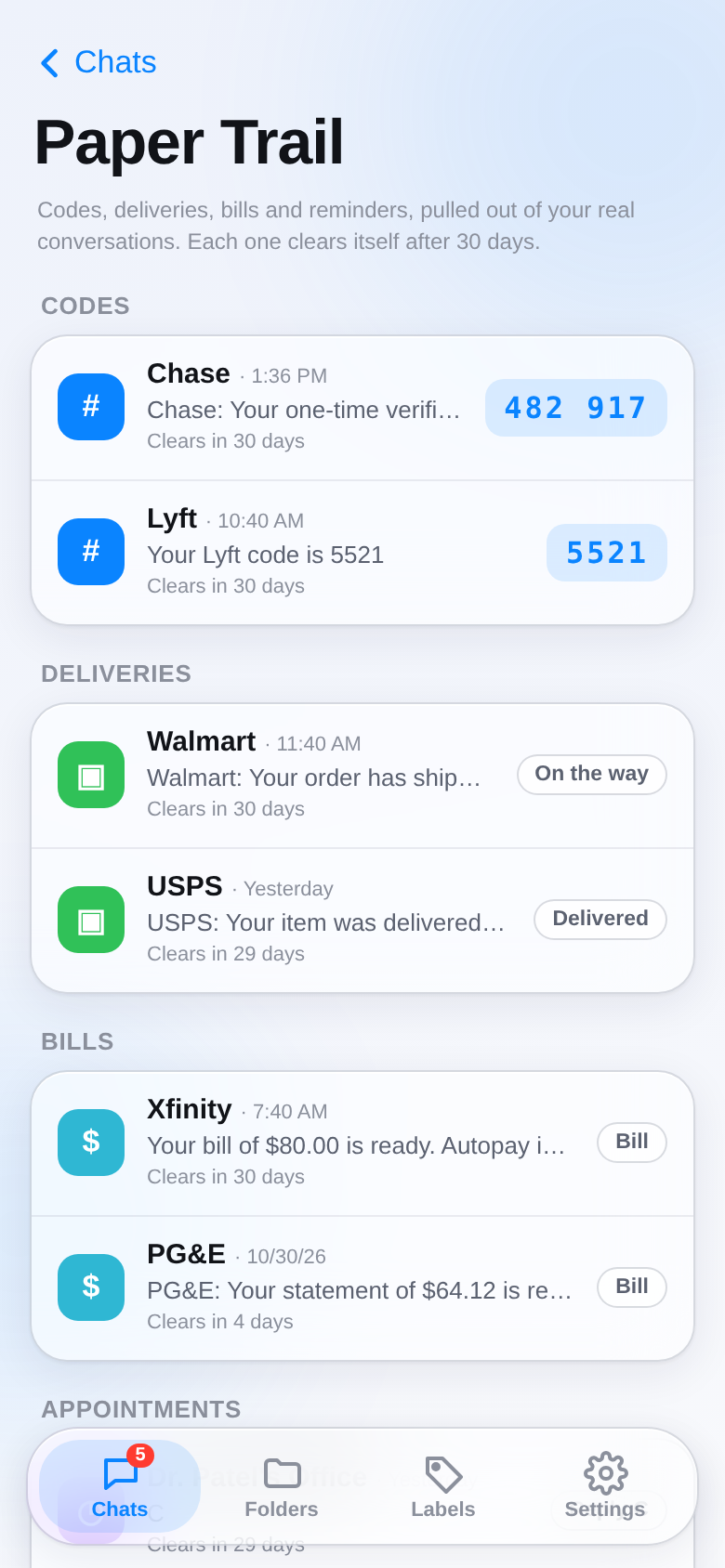
One-time codes, deliveries, bills and appointment reminders are pulled out of your real conversations. Tap a code to copy it. Each one clears itself after 30 days; anything you pin stays.
Example: your bank code lands here, not in your friend's thread
05
Rings
Sort people by how close they are: Inner, Close, Friends, Everyone. Your Inner ring always rises to the top.
Example: your partner in Inner, a neighbor in Everyone
Coming soon
06
The Ball
Every chat shows Your move, Their move, or Done. Done hides the chat until they write again.
Example: a friend asked about Saturday → Your move
Coming soon
07
The Sieve
Messages from new numbers wait until you decide. Keep, archive, mute or block them, inside NestedChats only.
Example: an unknown sender → Mute
Coming soon
08
Your apps stay untouched
Organizing never touches your messaging apps. Deleting in NestedChats removes only NestedChats' copy, and your organization stays on your phone.
Example: delete a WhatsApp chat here, it's still in WhatsApp
See it
Free vs Premium · planned pricing
Free forever, no ads.
$4.99/month
$1.99/month
For anyone who joins in the first year, kept as long as you stay subscribed.
Cancel Premium and you keep all your organization.
Where it stands
No launch date yet
The prototype at nestedchats.app is a working web demo with sample chats. Nothing there reads your real messages.